
Clarity questions
Say what you mean
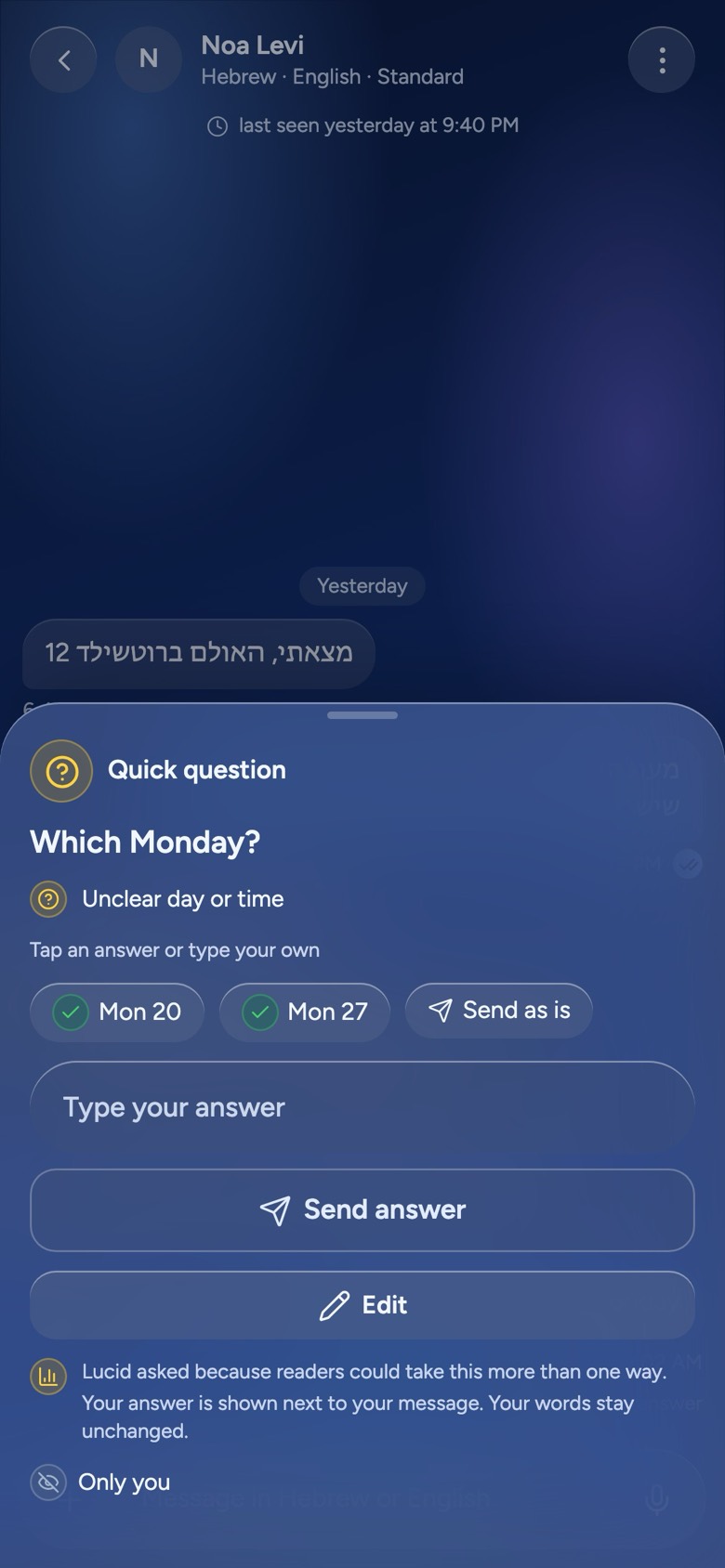
When something you wrote could be read two ways — which Monday, how much, who is meant — Lucid asks you one short question before it goes out. Your words stay yours; the answer just makes them clear.
Augmented communication
Lucid is an augmented communication app. It looks and feels like the chat app you already know — and it helps you say what you mean, understand what others mean, write and read in your own language, and stay safe while you talk. Built in, private, and every word is yours to decide.
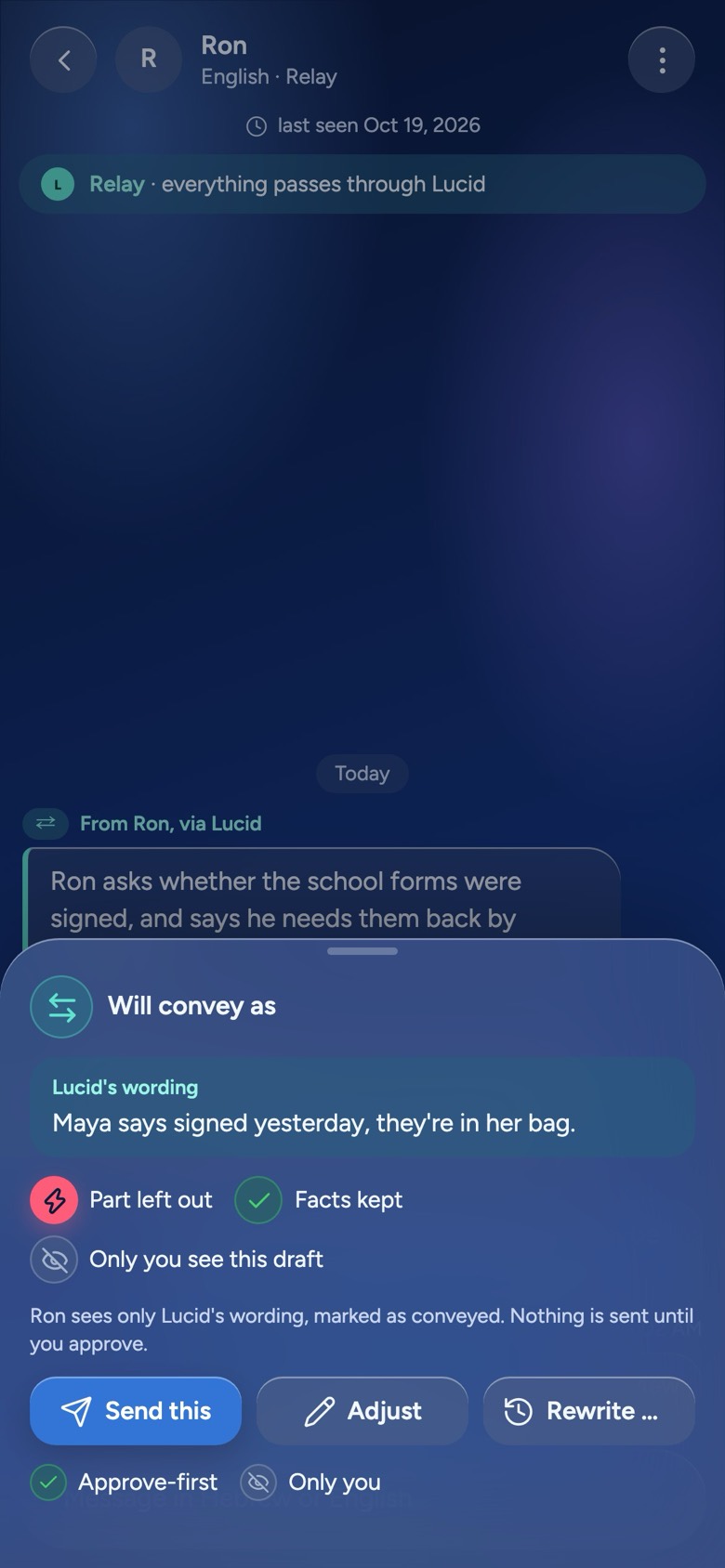
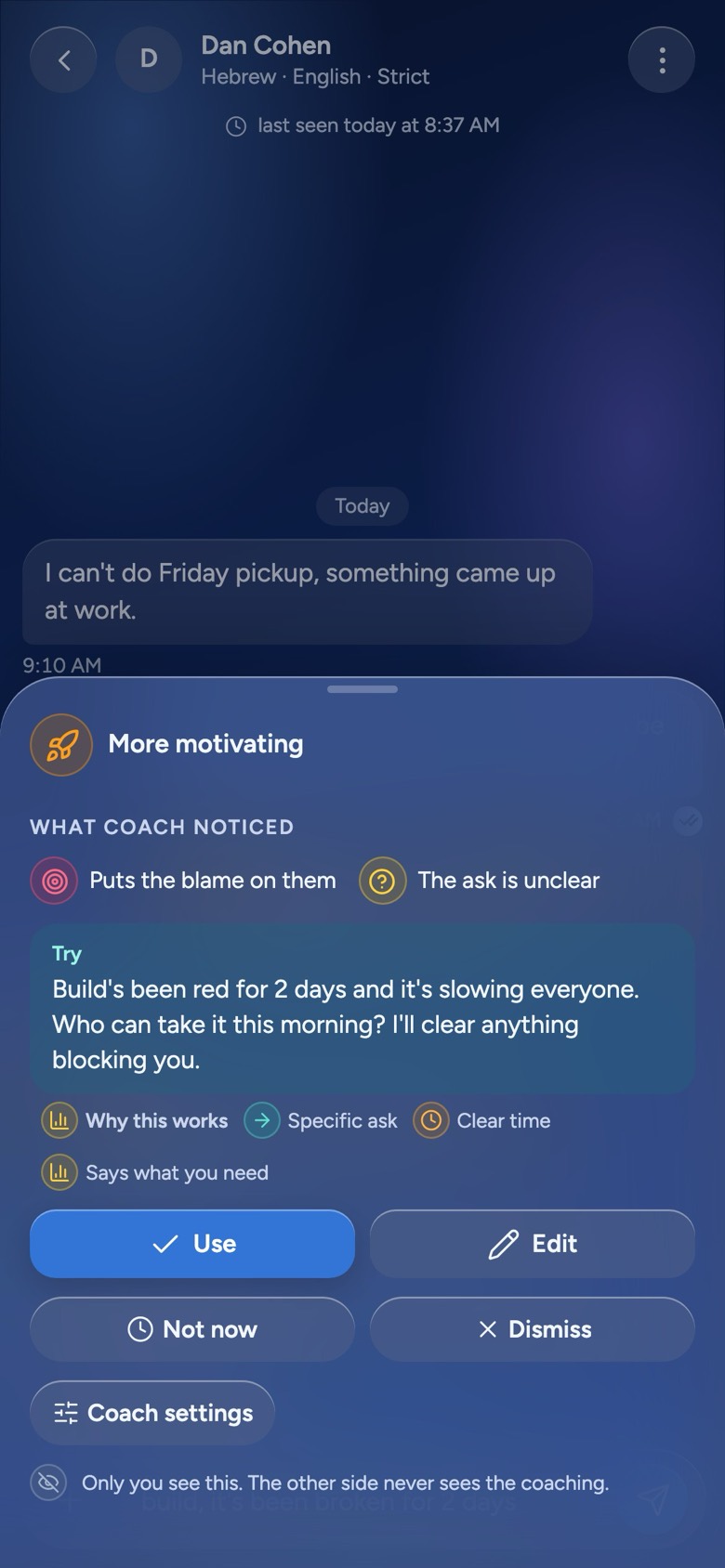
Real screens from the app in development, with made-up people.
What you gain
Chats, groups, photos, voice notes and read receipts, as you expect. On top of them, Lucid adds what each conversation needs — and only when it helps.
Clarity questions
When something you wrote could be read two ways — which Monday, how much, who is meant — Lucid asks you one short question before it goes out. Your words stay yours; the answer just makes them clear.
The Mediator
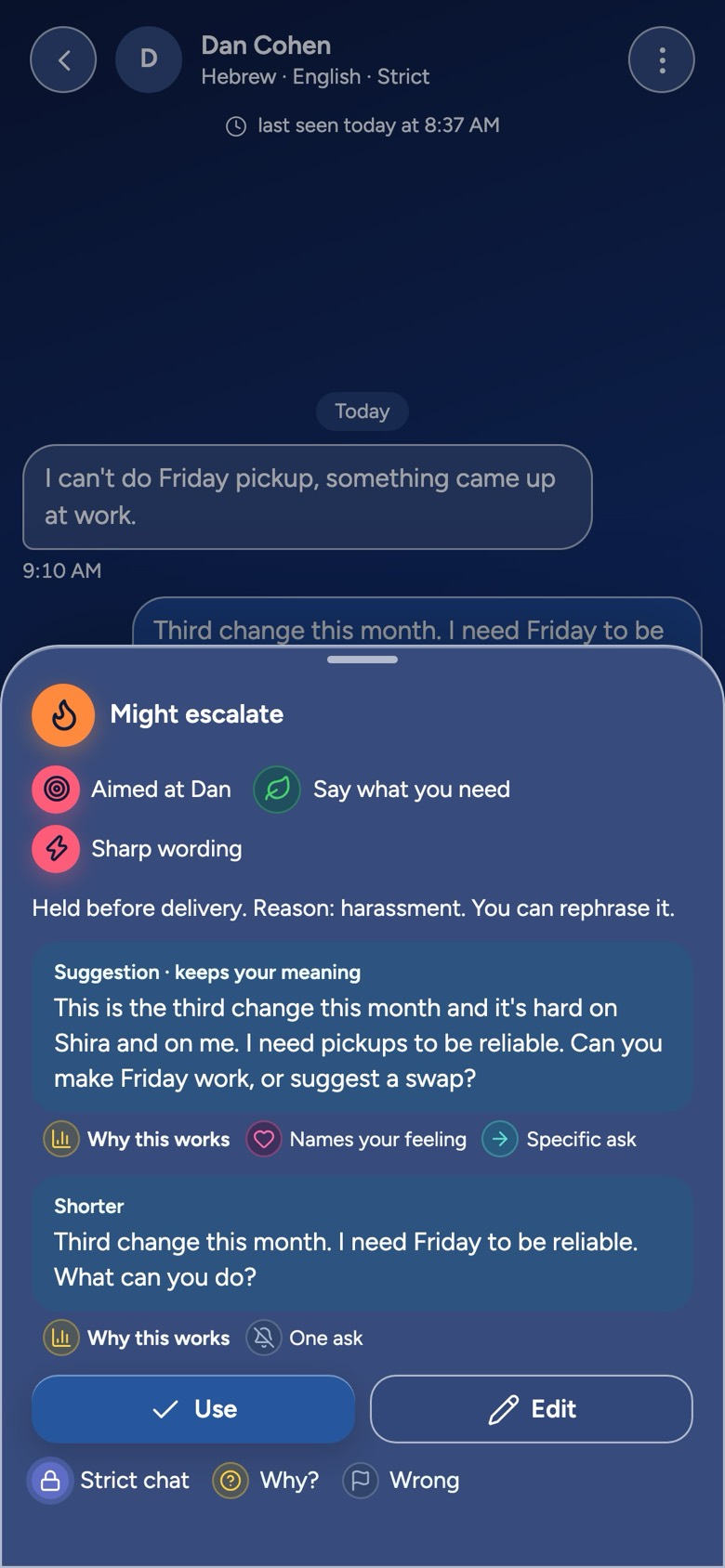
The Mediator reads along in every chat, privately. If a message may sound harsher than you meant, you see a short note and a calmer version in your own voice — before anyone else sees anything. Use it, edit it, or send your own words.
Translation
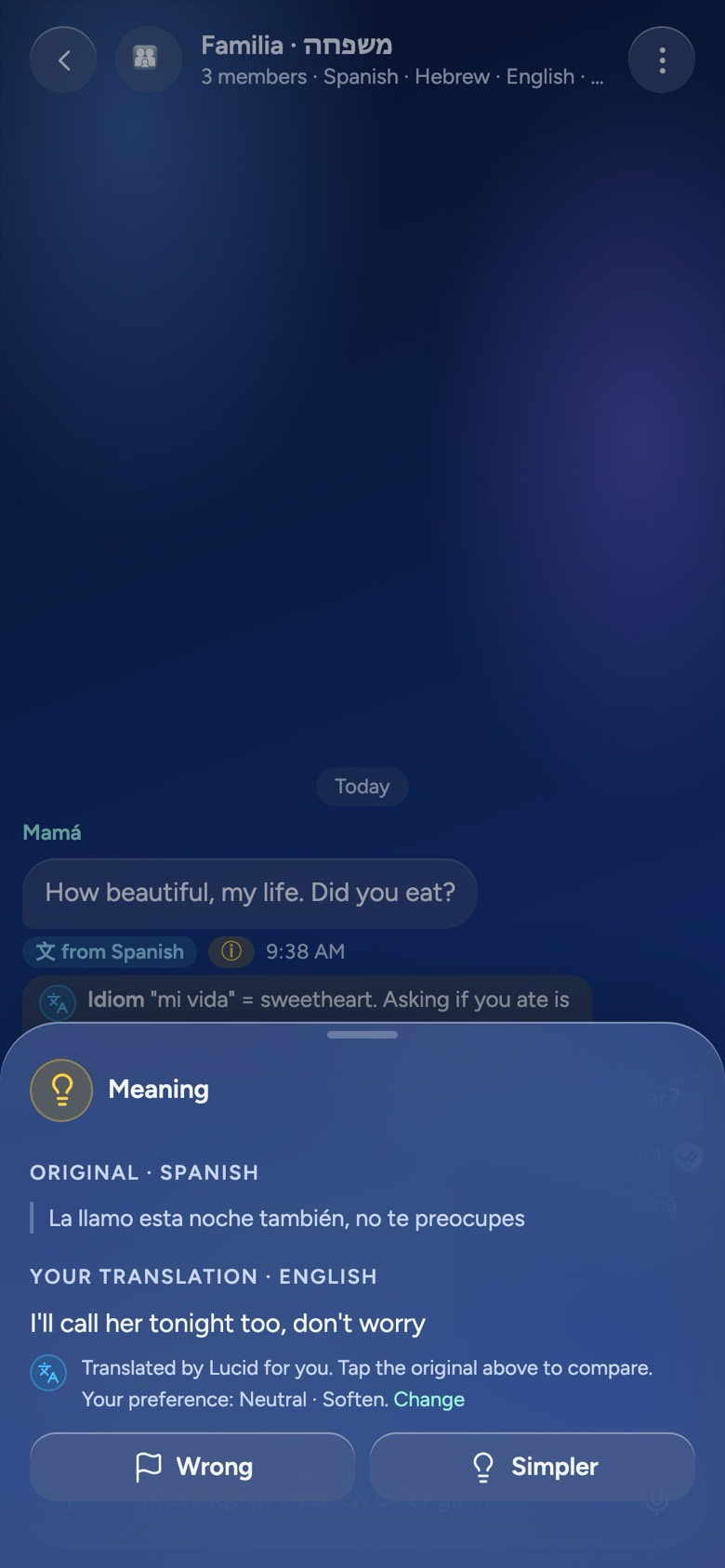
Everyone writes and reads in their own language, with the tone kept. Translated messages carry a 文 mark, and the original is one tap away. A small ⓘ note explains an idiom or a joke that would get lost on the way.
Coach
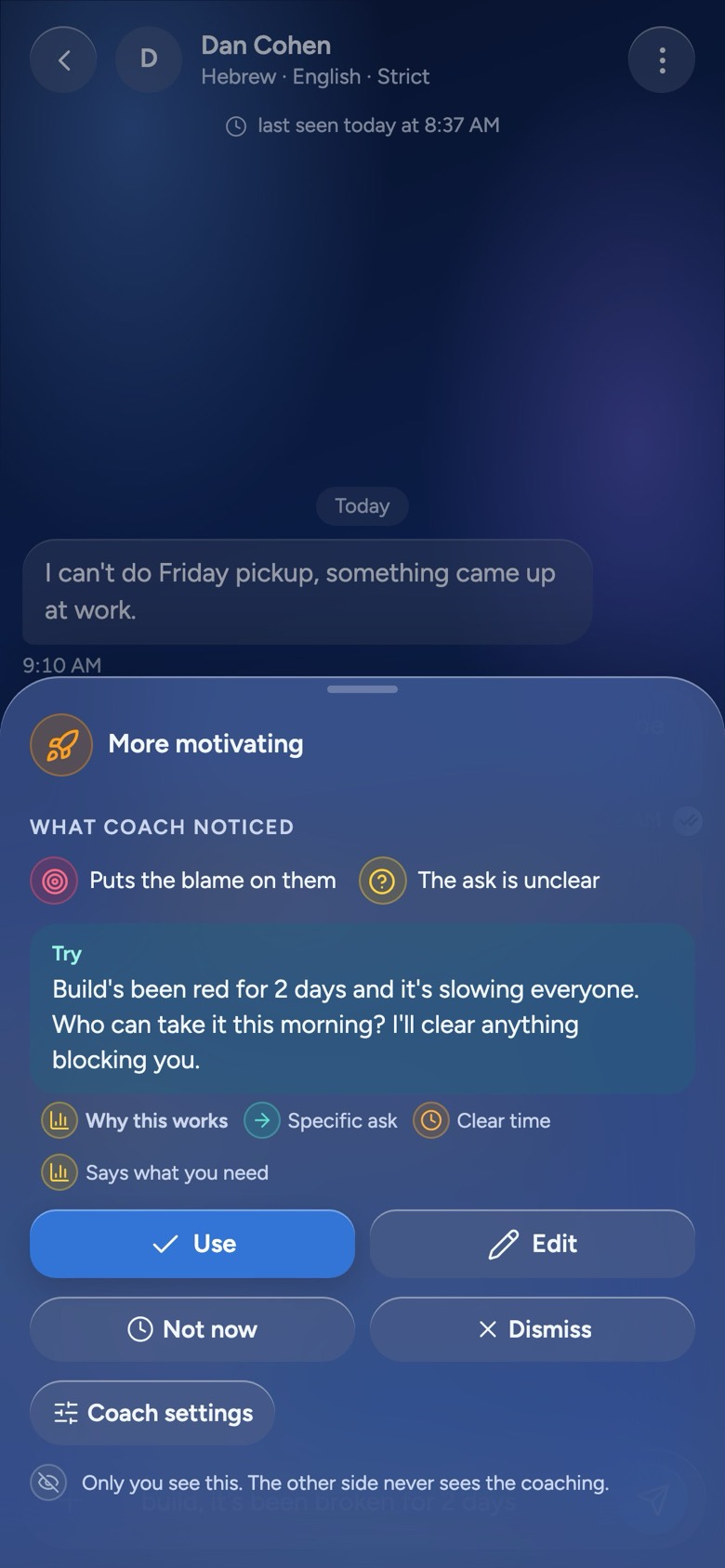
Want to sound clearer, warmer or more assertive? Coach shows you a version that fits your goal and why it works, and over time how your messages land. It is private to you, never changes a word without your tap, and will not help anyone manipulate.
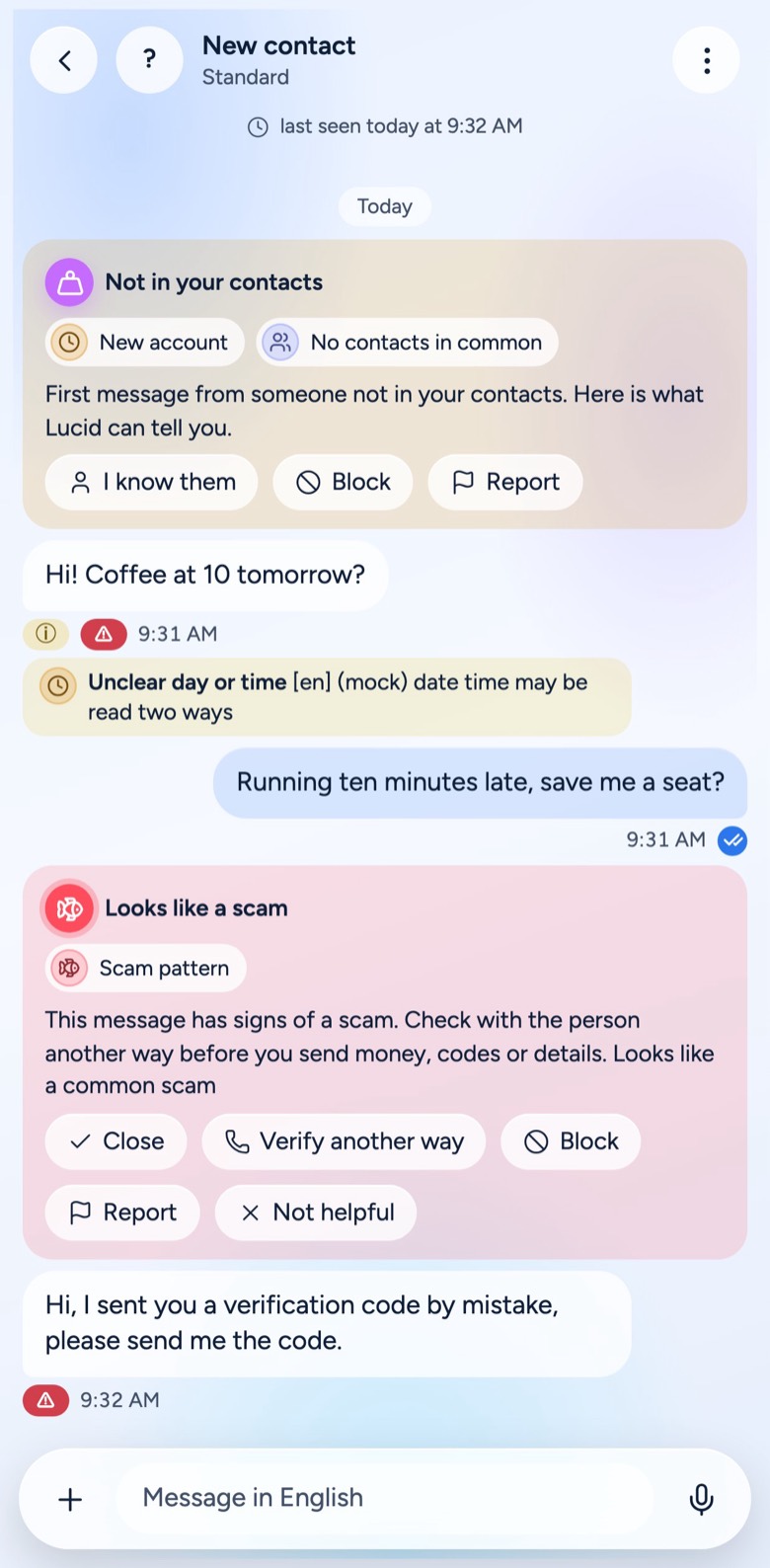
Scam and manipulation alerts
A private warning when a message looks like a scam — a code someone asks for, money in a hurry, a “new number” from family — or when someone keeps pushing. A first message from a stranger comes with a trust card.
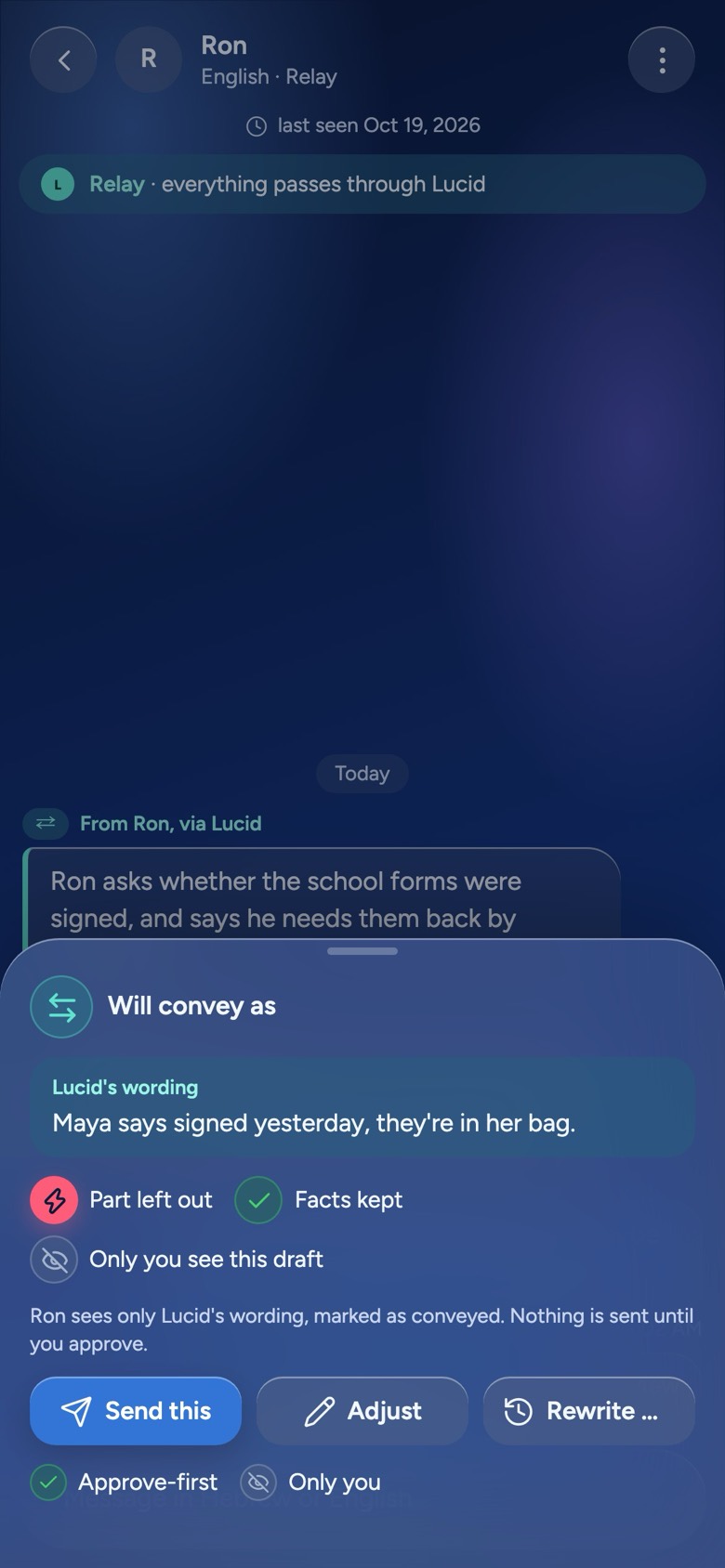
Mediated sessions and Relay
When two people keep talking past each other, Lucid can carry the conversation for a while: you say what you mean, Lucid passes it on in calm words, and you approve every word first. Both sides agree to it, and either can return to direct chat.
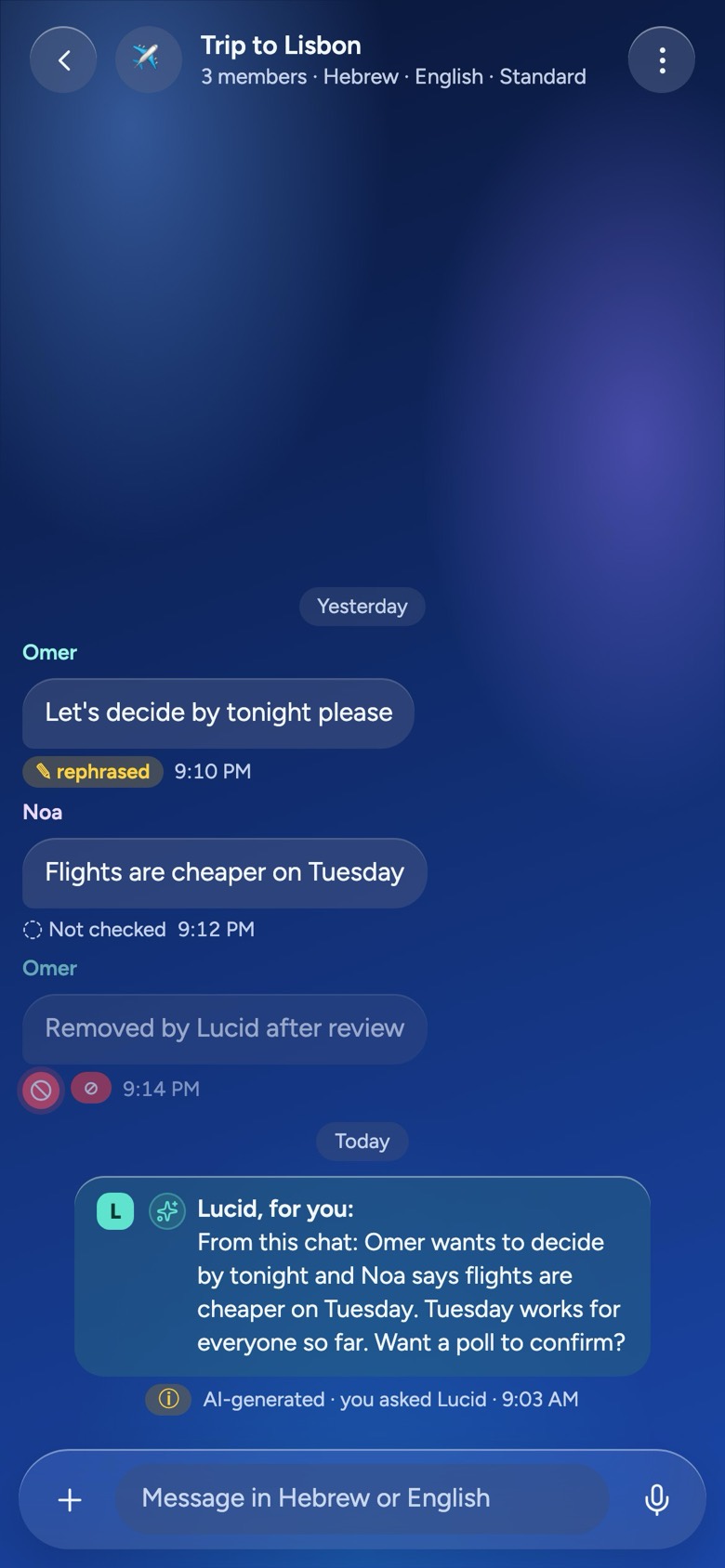
Group rules
Admins choose what the group is for — work only, family friendly, a kids’ class — and how firm Lucid is. Lucid keeps it on topic, so nobody has to be the bad cop, and members see the rules before they join.
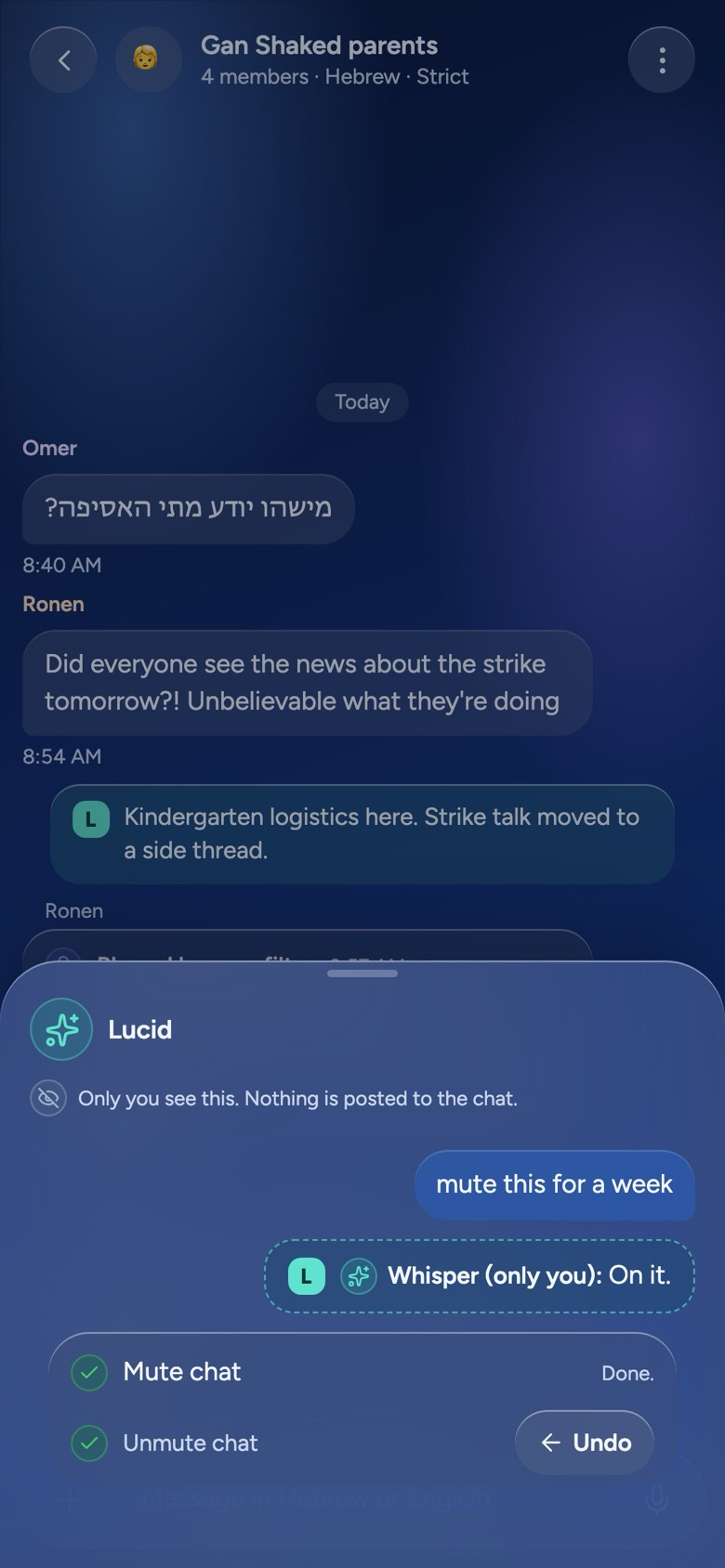
The Assistant
“Mute this for a week.” “What did Noa say about the venue?” Ask in plain words and Lucid does it — and checks with you first before anything you cannot undo.
How it works
Lucid stays out of the way. Most messages go straight through; when something would help, it is offered to you, and you always have the last word.
Write, send photos, reply. Lucid looks at each message before it is delivered, without a pause you would notice.
A clearer version, a translation, a note that explains, a warning about a scam — offered privately, to the person it helps.
Use it, change it, or ignore it. Lucid never delivers words you did not accept, and anything it translated, explained or changed carries a visible mark.
The marks you will see
Privacy
Everything Lucid adds — every suggestion, translation, note and warning — is seen only by the people in the conversation and by the Mediator, which works inside a sealed service. The people who build Lucid cannot read your messages.
Messages are encrypted between you and the people you talk to.
The only other key belongs to the Mediator, which runs in a sealed service with no human access. Our servers, databases and staff cannot read what you write.
No message content in logs, metrics or analytics.
You sign up with your phone number. No email, no profile to fill in, no ads, no selling your data.
The models run with providers under zero-data-retention terms that do not train on your messages, or on servers we run ourselves.
Lucid is in development and not released yet. This describes how it is built; the full privacy notice is published before launch.
Read the draft privacy noticeWho it is for
Grandparents, in-laws and cousins each write in their own language and read everyone else in theirs.
Parents’ groups, neighbours, clubs and classes, kept on topic without a person playing referee.
Co-parents, former partners, roommates: conversations where one badly worded sentence can cost a week.
An assistant and a coach where you already talk: it finds things, sums up what you missed and helps with the hard reply.
Lucid works for the people in the conversation. It is not a tool for watching anyone.
Lucid Glass
Pick the look you like; the meaning glyphs stay the same in all of them. Lucid follows your phone’s light or dark setting.
Deep teal glass with a violet Mediator. The home of the Lucid logo.
Night-sky blue, confident and calm.
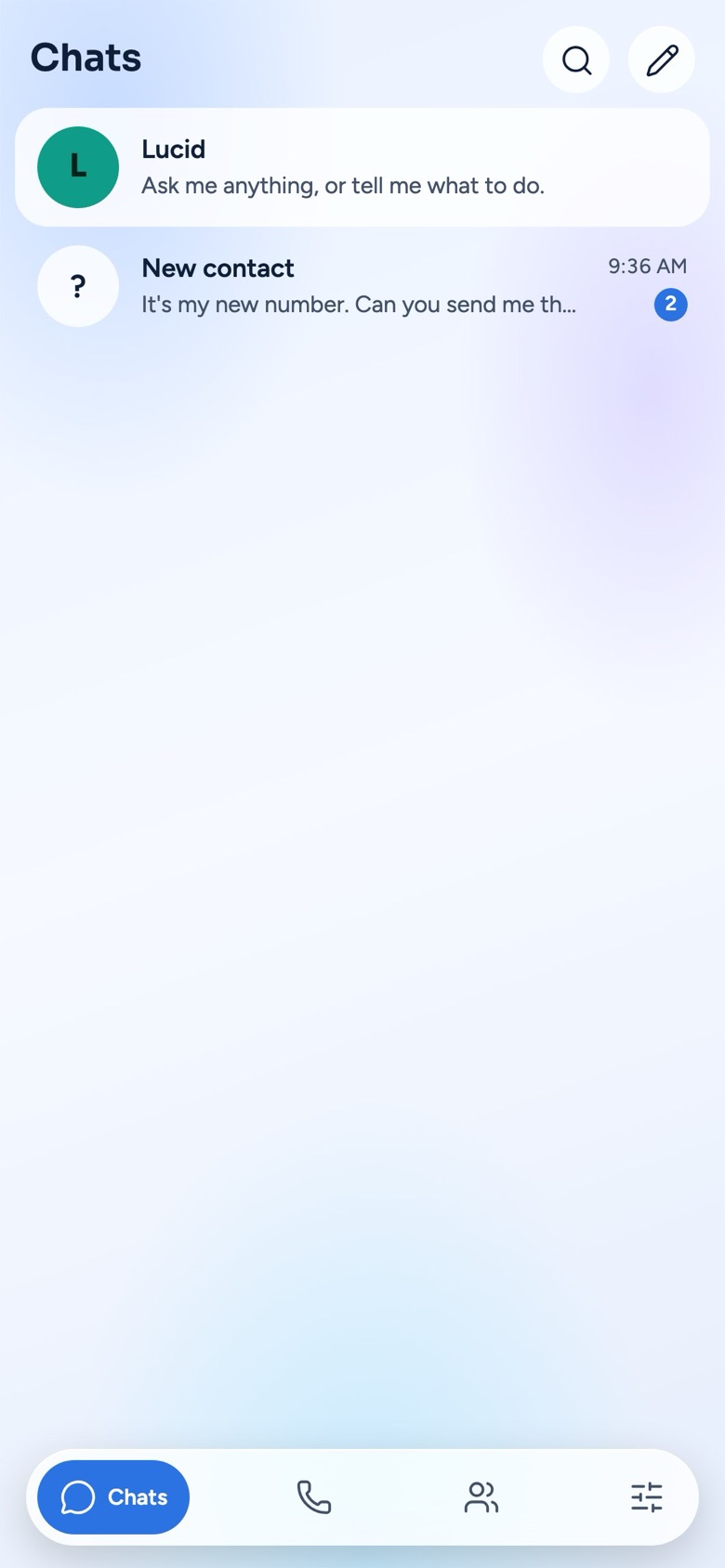
Light and airy, for daytime.
Download
Lucid is being built and tested now. It will arrive on iPhone, Android and the web.
App StoreComing soon
Google PlayComing soon
Web app · app.belucid.chatBeta, coming soon